Integrated with Microsoft Ecosystem
Copilot Chat is accessible through the Microsoft environment familiar to many users, making it easy to adopt for everyday productivity and learning support.
Copilot Chat is a general-purpose generative AI assistant. It can generate text, summarize information, assist with drafting, explain concepts, and support problem-solving. Users remain fully responsible for the data they provide, the outputs they rely on, and any decisions or actions taken based on those outputs. Copilot Chat does not replace professional judgment, academic integrity, or institutional approval processes.
This guidance applies only to Copilot Chat included with Siena's Microsoft 365 campus agreement (You must sign in with your Siena account at https://www.siena.edu/copilot or at https://m365.cloud.microsoft/chat).
IMPORTANT: This guidance does not apply to the consumer version of Copilot (copilot[.]microsoft[.]com), which often appears first in Google search results. The consumer version does NOT provide institutional data protections and is NOT authorized for use with any sensitive, confidential, or Siena-protected data. Similarly, Windows 11 includes a built‑in consumer Copilot app that is NOT part of Siena’s Microsoft 365 licensing and does NOT provide institutional data protections. Use the app called "Microsoft 365 Copilot" that has the "M365" marking on the logo.
 You can verify you are using Siena's licensed Copilot Chat by logging in here, and that the green lock icon is visible
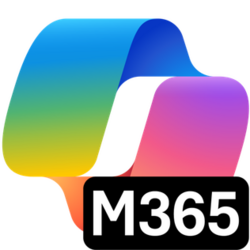 Users must use the Microsoft 365 Copilot/Copilot Chat app when working with Siena data. You can verify you are using the correct version when you see the M365 logo.
Copilot Chat is accessible through the Microsoft environment familiar to many users, making it easy to adopt for everyday productivity and learning support.
Copilot Chat supports natural, back-and-forth interaction. Users can refine outputs through follow-up questions, request changes in tone or length, and explore alternative approaches.
Copilot Chat can explain concepts, summarize general information, and assist with reasoning tasks. Outputs should always be reviewed for accuracy and appropriateness.
Work smarter. Verify results. Keep control.
Copilot Chat prioritizes flexibility and speed. Outputs should be treated as drafts or suggestions, not authoritative sources.
Users remain accountable for all decisions, interpretations, and actions taken based on Copilot Chat outputs.
Copilot Chat should support learning and productivity—not replace original thinking, academic work, or required expertise.
Users must ensure that Copilot Chat-assisted outputs do not violate copyright, licensing, or attribution requirements.
Misuse of Copilot Chat or inappropriate handling of University data may result in loss of access or disciplinary action under Siena’s Acceptable Use and AI policies.
 COPILOT CHAT VS. OTHER AI TOOLS
Prompting and Interaction
Copilot Chat responds to natural-language prompts. Effective prompts are:
Clear and specific
Context-rich without including sensitive or institutional data
Iterative, allowing refinement through follow-up requests
Examples of tasks you might ask Copilot Chat to help with include:
Drafting or revising written content
Creating outlines or study aids
Explaining policies, procedures, or technical concepts in plain language
Generating sample templates or checklists
Reviewing Outputs
Copilot Chat-generated content may contain inaccuracies, omissions, or bias. Users must:
Review all outputs carefully
Verify facts independently when accuracy is important
Edit content to meet academic, professional, and institutional standards
Drafting and Communication Support
Emails and announcements
Policy drafts or summaries
Lesson plans and instructional materials
Presentation outlines
Learning and Concept Exploration
Explaining unfamiliar topics
Studying for exams or certifications
Creating practice questions or examples
Productivity and Planning
Exploring approaches to tasks or problems
Generating templates or checklists
Organizing ideas prior to formal drafting
Not all AI tools serve the same purpose.
Before you begin, consider whether Copilot Chat is the right tool for your task. Copilot Chat excels at drafting, explanation, planning, and conversational assistance, while other tools (such as NotebookLM) are better suited for source-grounded research and analysis based entirely on material you provide.
When Copilot Chat Is a Good Fit
Assistance within the Microsoft Office platform
Drafting emails, documents, outlines, or first drafts
Summarizing general knowledge or explaining concepts
Planning tasks or exploring approaches to a problem
Creating templates, checklists, or examples
Assisting with coding concepts or basic troubleshooting
When Another Tool May Be Better
When strict source traceability or citations are required
When analyzing large collections of institutional documents
When working with regulated, sensitive, or confidential data that must remain within approved environments
When using Copilot Chat, users must adhere to Siena University’s data classification and privacy requirements. When accessed through a Siena account, Copilot Chat is governed by Siena’s contractual Microsoft campus agreement. Uploaded documents, user queries, and AI-generated responses remain private to the user, are not reviewed by humans, and are not used to train Microsoft's AI models.
Copilot Chat included with Siena's Microsoft 365 campus agreement is NOT the same as the consumer versions of Copilot.
Users must NOT enter confidential, restricted, or sensitive University data into the consumer web version of Copilot (copilot[.]microsoft[.]com) or the consumer version of Copilot in Windows 11.
Student records, grades, personally identifiable information (PII), HR data, regulated research data, and non-public institutional information must never be entered unless absolutely sure you are using the licensed Copilot Chat with a Siena account.
Users remain fully responsible for the data they provide and for any downstream use of Copilot Chat-generated outputs.
Important Note: It is imperative to understand that other public or non-approved AI tools may only be used with non-sensitive, de-identified, or publicly available information. Users must never input student records, grades, personally identifiable information (PII), human resources data, regulated research data, or other non-public institutional information into non-authorized or non-contracted AI systems.
Copilot Chat may be used at Siena University only in ways that align with the University’s Artificial Intelligence Policy. Siena supports the responsible and ethical use of generative and agentic AI systems, including emerging and future AI-enabled technologies, to enhance learning, teaching, research, and administrative operations. All use of Copilot Chat must comply with applicable federal, state, local, and international laws, as well as University policies including (but not limited to) the Acceptable Use Policy and Data Classification Policy.